To open a Cali Clear, slide the device out of its box, remove any protective cap or silicone plug from the mouthpiece and the bottom airflow, and take a short pull; there is no switch to turn on for single flavor devices. If you mean opening the shell itself to reach the oil inside, the honest answer is that you should not, and this guide explains why.
Opening a new device sounds too simple to need a guide, yet it is one of the most common questions we get, usually from someone who pulled on a sealed tip and thought the device was dead. Below we cover how to open a Cali Clear box, how to prepare the device for the first pull, how dual chamber models differ, what people mean when they ask about taking one apart, and the safer alternatives when you think oil is left inside.
Before You Start: Check the Box
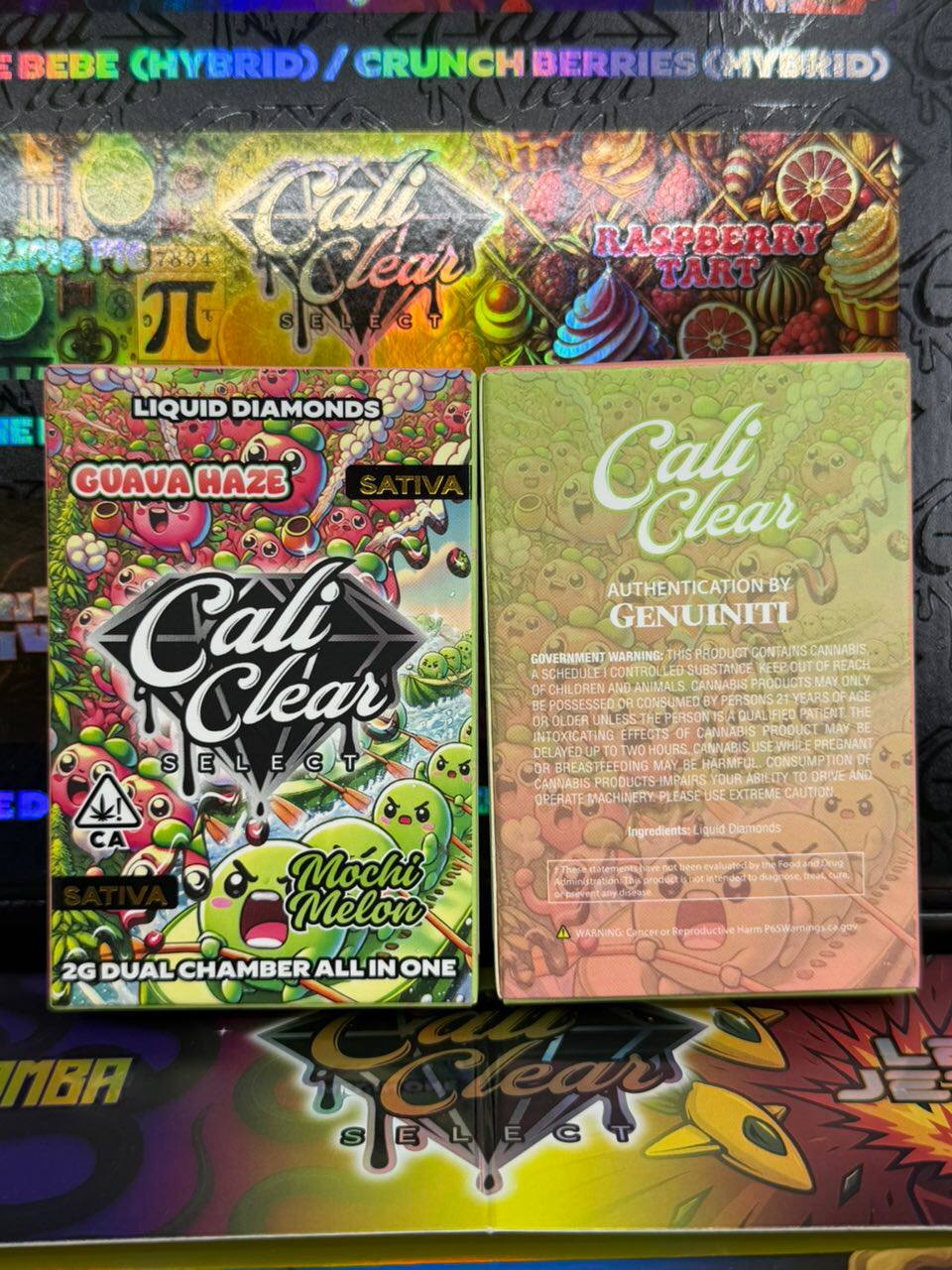
Before you open a Cali Clear box, look at it for a few seconds. The print should be sharp, the seal intact and the flavor name spelled correctly. A torn or glued seal is worth noting before you go further, because it changes what you should expect from the device inside. Our real or fake guide lists the checks in detail.
Take a photo of the box and seal before opening if you bought from a seller you do not know. If anything is wrong later, a clear photo makes any conversation with the seller much easier.
How to Open a Cali Clear Box
- Find the tear strip or seal on the side or bottom of the box.
- Pull it gently rather than cutting with a blade, which can scratch the device.
- Slide the inner tray out and lift the device by its sides.
- Keep the box until you finish the device, since the batch details on it help if you ever need support.
That is all it takes to open a Cali Clear package. Nothing inside needs assembly.

Remove the Tip Covers and Plugs
Most disposables ship with a small cap or silicone plug over the mouthpiece and sometimes another over the airflow holes at the bottom. These keep oil in and dust out during shipping. If you take a pull with a plug still in place, the device will feel completely dead.
Pull each cover straight off. Do not twist the mouthpiece itself; on a disposable it is fixed to the body. Once the covers are off, the device is ready to use.
Why the airflow matters
The draw sensor needs air moving through the device. Covering the bottom holes with a finger, a plug or a tight pocket seam is the most common reason a new device seems not to work.
Your First Pull
After you open a Cali Clear, start with one short, gentle pull of two or three seconds. Single flavor devices are draw activated, so there is no button and no switch. The light at the base usually glows while you draw. If the oil is cold and thick, the first pull can feel thin; give it a moment and try again, or see our preheat guide.
Wait a few minutes before a second pull, especially if you are new to liquid diamonds oil. Strength builds quickly.
Opening a Dual Chamber Device
Dual chamber models such as the Cali Clear Duo and the Dual Chamber V2 use a Select button. After you open a Cali Clear dual chamber box and remove the covers:
- Press the Select button five times to power the device on.
- Press and hold Select to switch between the two strains.
- Press twice to fire both chambers together in dual mode.
- Press three times to preheat thick oil.
Five presses turns it off again. Our dual chamber guide goes deeper on switching and pairing.

Can You Open a Cali Clear Shell?
Physically, a determined person can pry a disposable apart. Practically, you should not. The shell holds a lithium ion battery, a heating coil and the oil tank in a tight space, and forcing it open risks damaging the battery, cutting yourself on thin metal, or spilling sticky oil everywhere.
When people ask how to open a Cali Clear to get the oil out, they usually suspect there is oil left that the device will not vaporize. That is a real frustration, and there are better ways to deal with it.
Battery safety comes first
Damaged lithium ion batteries can overheat or catch fire. Prying a shell is exactly the kind of damage that causes problems. Keep disposables intact and recycle them properly when they are finished.
Why Oil Seems Left Over
Almost every disposable leaves a thin film of oil in the tank that the coil cannot reach. That is normal and not a sign of a fault. If the device stops hitting while you can still see a meaningful amount of oil, the cause is usually the battery or a clog rather than an empty tank.
| What you see | Likely cause | What to try first |
|---|---|---|
| Thin film only, weak hits | Normal end of oil | Time for a new device |
| Plenty of oil, no hit | Low battery | Charge with USB C for 30 to 60 minutes |
| Plenty of oil, tight draw | Clog near the mouthpiece | Gentle warming and short pulls |
| Light flashing on every pull | Battery protection or hard draw | Charge, then pull more gently |
Safer Alternatives to Prying It Open
- Charge it fully before deciding it is empty. A low battery often looks like an empty tank.
- Warm the device in your hand for a minute and take short pulls to loosen thick oil.
- Use preheat on dual chamber models (three presses).
- Check for a clog and clear it as described in our unclog guide.
If none of that works and the device is clearly faulty while still full, contact the seller. Opening it yourself usually ends any chance of a replacement.
How to Open a Cali Clear in Cold Weather
Cold oil is thick oil. If you open a Cali Clear that has been in a cold car or mailbox, let it sit at room temperature for a while before the first pull. Pulling hard on cold oil can flood the coil and taste harsh. Patience gives a smoother first session.
Keeping the Device Fresh After Opening
Once open, store the device upright in a cool place away from sunlight. Heat thins the oil and can push it toward the mouthpiece, which leads to leaks; light slowly dulls flavor. Keep the box nearby if you like to remember which flavor is which, especially if you own several.
Common Mistakes When Opening
- Pulling with the silicone plug still in place.
- Twisting the fixed mouthpiece and loosening the seal.
- Pulling hard and long on the first draw.
- Covering the bottom airflow with a finger.
- Using a blade on the box and scratching the device.
Avoid these and nearly every new device works on the first try.
Which Device Is Easiest to Start With
If you have never used a disposable, a single flavor 2G device is the simplest: open it, remove the covers, pull. Flavors like Pink Runtz or Cloud Walker are popular first picks. The V6 works the same way. Dual chamber devices add the Select button, which takes a minute to learn but is not difficult.
When to Contact the Seller
Contact the seller if the device is dead after charging, leaks out of the box, or tastes burnt or chemical on the first pull. Include photos of the box, seal and device. Our returns page explains how we handle defective devices.
Quick Answer
To open a Cali Clear, take it out of the box, remove the protective covers, and take a short pull; dual chamber models need five presses of the Select button first. Do not pry the shell open to reach leftover oil. Charge, warm or unclog the device instead, and contact the seller if it is genuinely faulty.
How to Open a Cali Clear by Line
The steps barely change between lines, but a few details do. When you open a Cali Clear single flavor 2G box, you will usually find the device in a slim tray with a cover on the mouthpiece. When you open a Cali Clear V6, expect the same draw activated design with a slightly updated shell. When you open a Cali Clear dual chamber box, look for the Select button on the body, since that device will not fire until you power it on. The smaller 1G live resin and all in one pods follow the single flavor pattern.
Bulk and party packs simply contain several individual boxes, so you open a Cali Clear from a pack exactly as you would a single unit. Keep the outer carton until every device is used, because it groups the batch details in one place.
First Use Checklist
- Photograph the sealed box.
- Open a Cali Clear box using the tear strip, not a blade.
- Remove every cover from the mouthpiece and airflow.
- Check the oil window for color and movement.
- Take one short pull and wait.
- Charge with USB C if the light flashes during the pull.
Running through this list each time you open a Cali Clear takes under a minute and catches nearly every first use problem before it turns into frustration.
Opening a Disposable vs a Cartridge
People often search how to open a Cali Clear cart because the brand is widely called carts. A true cartridge screws onto a separate battery and can be removed; a Cali Clear disposable cannot. That difference matters: with a cartridge, opening means unscrewing; with a disposable, opening a Cali Clear means unboxing and removing covers, never unscrewing or prying. If you are used to cartridges, resist the urge to twist the mouthpiece.
If You Dropped It While Opening
Drops happen, usually while sliding the device out of a tight tray. Check the shell for cracks and the oil window for leaks before you pull. A small scuff is cosmetic; a crack near the base or oil on the outside is not, and that device should not be used. Stop, photograph it and contact the seller rather than trying to open a Cali Clear shell to inspect the damage yourself.
Open a cali clear FAQ
How do you open a Cali Clear?
Slide it out of the box, remove the protective cap or silicone plug from the mouthpiece and airflow, and take a short pull. Single flavor devices are draw activated. Dual chamber models need five presses of the Select button to turn on.
How do you turn on a Cali Clear?
Single flavor Cali Clear devices have no power button; they turn on when you draw. Dual chamber devices turn on and off with five presses of the Select button.
Can you take apart a Cali Clear?
You can force one apart, but you should not. The shell holds a lithium ion battery and coil, and prying it risks battery damage, cuts and oil spills, and usually ends any chance of a replacement.
Why is there oil left in my Cali Clear?
A thin film of oil always stays behind because the coil cannot reach it. If there is a lot of oil left and the device will not hit, charge it, warm it or clear a clog before assuming it is faulty.
Why is my new Cali Clear not hitting?
The most common cause is a protective plug still in the mouthpiece or airflow, or a finger covering the bottom holes. A low battery or cold, thick oil are the next most likely causes.
How do you open a Cali Clear cart?
Cali Clear devices are disposables rather than screw on carts, so there is nothing to unscrew. Open the box, remove the covers and pull. Do not twist the mouthpiece, which is fixed to the body.
What should I do if my Cali Clear is dead out of the box?
Charge it with a USB C cable for 30 to 60 minutes and try again with short pulls. If it still does nothing, photograph the box and device and contact the seller.